Internationalization
Kiali is used worldwide and some users prefer to display Kiali in a language that they are more comfortable with than English. For this reason Kiali supports internationalization, and it can be localized into multiple languages.
Current supported languages are English, Chinese, Korean, and Spanish.
For color scheme, contrast, and theme settings, see Appearance.
Language preference
In the standalone Kiali Console, open Preferences from the user dropdown as described in Appearance, then choose a value in the Language dropdown.
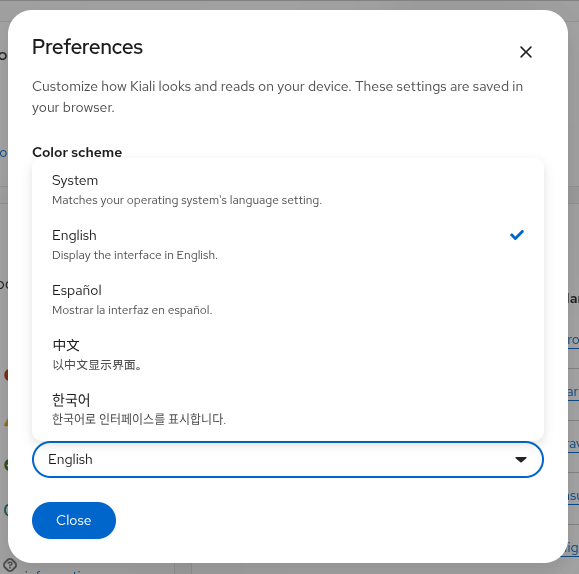
The language selector is shown by default. Supported options are:
| Option | Behavior |
|---|---|
| System | Matches your operating system or browser locale. Kiali resolves the locale using Intl and navigator.languages, then picks the best supported language. |
| English | Display the interface in English. |
| Español | Display the interface in Spanish. |
| 中文 | Display the interface in Chinese. |
| 한국어 | Display the interface in Korean. |
When System is selected, Kiali updates automatically if the browser language changes while the console is open. Your choice is saved in the browser and persists across sessions.
Operator configuration
Cluster administrators can influence the default language behavior through the Kiali CR:
spec:
  kiali_feature_flags:
    ui_defaults:
      i18n:
        language: en
Set language to a supported ISO 639-1 code (en, es, zh, or ko) to use that language as the server fallback when System cannot resolve a supported locale. If language is not set, new users default to System.
To hide the language selector, set show_selector to false:
spec:
  kiali_feature_flags:
    ui_defaults:
      i18n:
        show_selector: false
show_selector setting is deprecated. Language selection is available in Preferences by default. Setting show_selector to false hides the selector until the setting is removed in a future release.
Supported language codes:
Language |
Code |
|---|---|
| Chinese | zh |
| English | en |
| Korean | ko |
| Spanish | es |
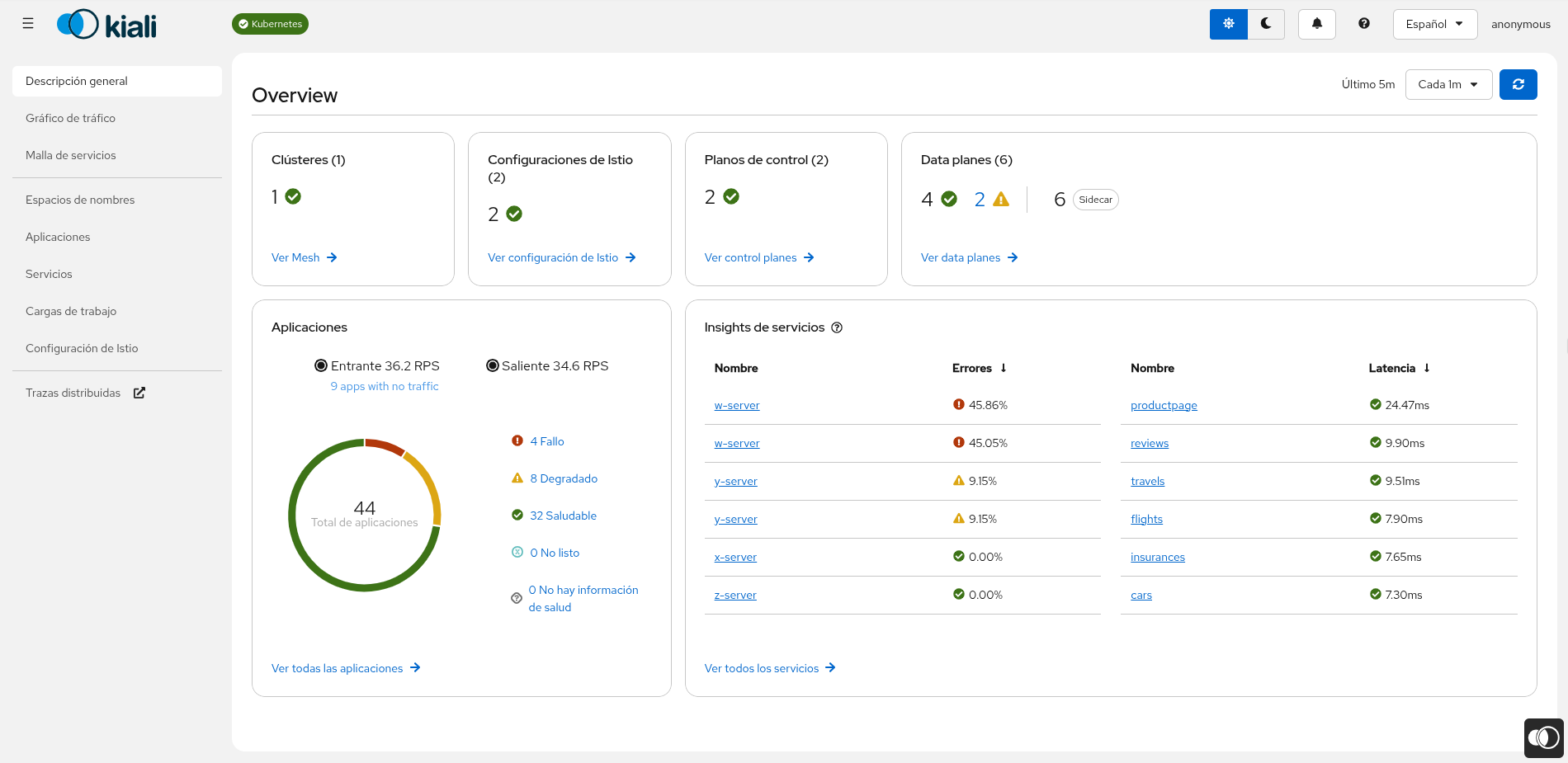
As an example, this is how Kiali displays the Overview page in Spanish:
OSSMC Support
The OSSMC plugin also supports internationalization. When the OpenShift Console language is set to a supported language, all OSSMC pages and navigation elements are displayed in that language. OSSMC shares the same translation catalog as the standalone Kiali Console and adds translations for OpenShift-specific strings such as sidebar navigation titles and plugin-specific error messages.
If you want to collaborate with us on adding a new language or improving the translation of an existing one, please refer to the internationalization section of the kiali project’s README for UI